
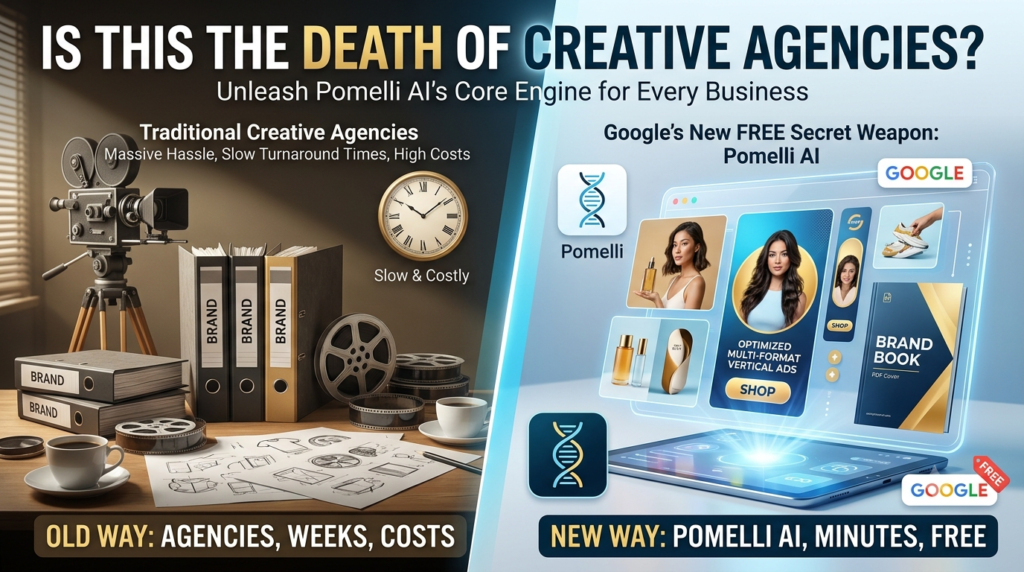
Google’s New FREE Secret Weapon For Every Business Owner: Is This The Death of Creative Agencies? 🤫🔥
First, AI came for the writers. Then, it came for the coders. But the one category we all thought was relatively safe was creativity itself—branding, studio photography, advertising, and social media.
Well, Google just changed the game forever, and somehow, they made it completely free.
It’s called Pomelli. This mind-blowing AI tool can do in a few clicks what usually takes entire creative teams weeks to build. We aren’t talking about rough drafts that require hours of fixing. We are talking about stunning, studio-grade outputs that will make you question how traditional creative agencies are going to compete.
If you already have a functioning website for your business, Pomelli acts like a senior creative director. It completely eliminates the massive hassle, slow turnaround times, and high costs of hiring a traditional marketing department.
Here is exactly how to unlock Pomelli’s core engine to automate your business’s visual DNA, campaigns, photoshoot, and brand book in minutes.
🧬 Step 1: Generate Your Business DNA Instantly
Building a brand the old-fashioned way means paying and waiting on an army of people: a designer for your logo, a copywriter for your tone, and a photographer for product shots. Pomelli completely bypasses this friction.
The Launch: Navigate to the Pomelli website and click “Let’s Go” on the onboarding screen.
The Input: Because you already have an established website, simply copy your homepage URL, paste it into the input box, and hit continue.
The Scrape: Pomelli instantly starts analyzing your live site. It scrapes your precise color palette, your exact fonts, your unique tone of voice, and your entire product catalog.
Once the status screen finishes, your unique Business DNA is locked in and ready to fuel your entire marketing pipeline.
📣 Step 2: Launch High-Converting Campaigns (In 3 Clicks!)
The moment your Business DNA is processed, Pomelli automatically pre-generates three distinct campaign concepts tailored perfectly to your brand.
[Select Pre-Generated Concept] ➔ [Pick Your Favorite] ➔ [Get 4 Studio-Grade Vertical Posters]
Each generated vertical poster uses real product images pulled from your catalog, pairing them with professional layouts and auto-generated headlines/descriptions.
The Built-In Precision Editor
Clicking on any creative opens up a powerful right sidebar editor. From here, you can seamlessly:
Tweak header text, fonts, colors, and descriptions.
Toggle a Call-To-Action (CTA) button (e.g., “Shop the Edit”) on or off, and customize its direct link.
Use the game-changing “Fix Layout” button, which automatically auto-adjusts spacing and composition so nothing looks cramped or amateur.
Pro Tip: Use the version history toggle at the top to compare your custom edits against the AI original before downloading your high-resolution PNG.
Unleashing Custom Campaigns
If you want to build a campaign from scratch, simply use the prompt bar at the top. Type a clear, targeted brief (e.g., specifying your target audience age and seasonal tone), select up to six specific products from your scraped catalog, and click “Generate Brief”. Once you review and confirm the structured brief, Pomelli drops four ready-to-post, studio-made creatives.
🛍️ Step 3: Train Your Catalog & Asset Library
Pomelli features two highly underrated tabs in the left sidebar that give you total control over what the AI uses:
The Catalog Tab: Displays every single product scraped from your site alongside auto-generated names and descriptions. You can click any individual item to immediately trigger a campaign or photoshoot for it.
The Assets Tab: Displays your logos, lifestyle imagery, and product photos pulled from your live site. You can delete the visual elements you don’t want Pomelli to use, effectively training the AI to ignore older or off-brand assets over time.
Heading the Vibe Coding Revolution
AI coding is changing everything. Non-technical founders are shipping real products. The barrier to building software has essentially dropped to zero. But having a product and having a business are two very different things.
MakerAI is leading this movement by combining the power of AI coding with the business fundamentals that actually drive revenue. We’re not just teaching you how to build, we’re giving you the exact system to research, validate, build, and sell profitable software products.
📸 Step 4: Run a Photorealistic Model Photoshoot
Need high-end lifestyle images but don’t have the budget for a professional studio, models, and photographers? Pomelli solves this entirely in the Photoshoot tab.
Select a product image from your catalog or assets.
Choose your desired aspect ratio (Instagram Story, Website Hero Section, etc.).
Browse the template gallery (categories include Fashion, Beauty, Home, and Consumables) and select Model Try-On.
Within about sixty seconds, Pomelli outputs four distinct variations of your product being naturally worn or used by a photorealistic AI model. The lighting, styling, and outfits look flawlessly rendered. From this screen, you can save the images or click “Create Campaign” to instantly convert them into active ads.
📖 Step 5: Generate an Instant, Shareable Brand Book
When you scale your business and bring on freelancers, new hires, or agencies, preventing endless creative iterations is vital. Pomelli compiles your entire identity into a beautiful, professional Brand Book with zero effort.
Simply head to the Brand Book tab, choose an AI-generated or custom cover, and select a handful of supporting images (product shots, logos, lifestyle images). In less than a minute, a stunning 6-section PDF document is created, covering:
Brand Overview
Logo Clear Space & Minimum Size Rules
Typography
Color Palette (complete with exact hex codes)
Imagery Guidelines
Brand Voice
You can download it instantly as a PDF or hit the Publish toggle to create a live, shareable link. Any changes you make to the visuals later will automatically update the live link without you needing to resend a thing.
🚀 The Ultimate Secret: One-Click Google Ads Integration
Here is the hidden setting that turns Pomelli into an absolute powerhouse: it connects directly to your paid marketing pipeline.
Click the three dots in the top-right corner of your dashboard and select Connected Apps. By linking your Google Ads account, every single campaign, creative variation, and optimized aspect ratio you generate inside Pomelli can be pushed straight into live Google Ads without ever leaving the platform.
If you manage multiple brands or client accounts, you can even select the specific ad account at the time of sharing. Your entire workflow—from brand identity and photoshoots to paid distribution on YouTube and Google Search—lives entirely inside a single, free interface.
Reader Question: If you could automate one massive marketing chore in your business today using Pomelli, would you use it for rapid ad campaigns or photorealistic product photoshoots first? Let me know in the comments below!
Strategist, researcher, developer, copywriter, media buyer, SEO writer. Eight AI agents working off one click, on the software people are already buying.